
[ SEO ]
Local SEO for Jaipur Businesses: How to Show Up in Google Maps
Most Jaipur customers search on their phone and pick from the three businesses in the Google Maps box. Here’s how to earn a place there, step by step.
We build the funnels, stores and CRMs we write about — this isn't outsourced content.

Short answer: to win at local SEO in Jaipur, your Google Business Profile must be verified, complete and in the right category; your address must name the right locality; you need a steady flow of genuine reviews; and your website needs a clear page for each service and the areas you serve. Google ranks Maps results on relevance, distance and prominence — you can improve the first and third, and choose how you show the second.
Our local SEO checklist covers the basics for any town. This guide is about what changes in Jaipur: a large city of distinct localities, customers who search in English, Hindi and Hinglish, and many service businesses that travel to their customers.
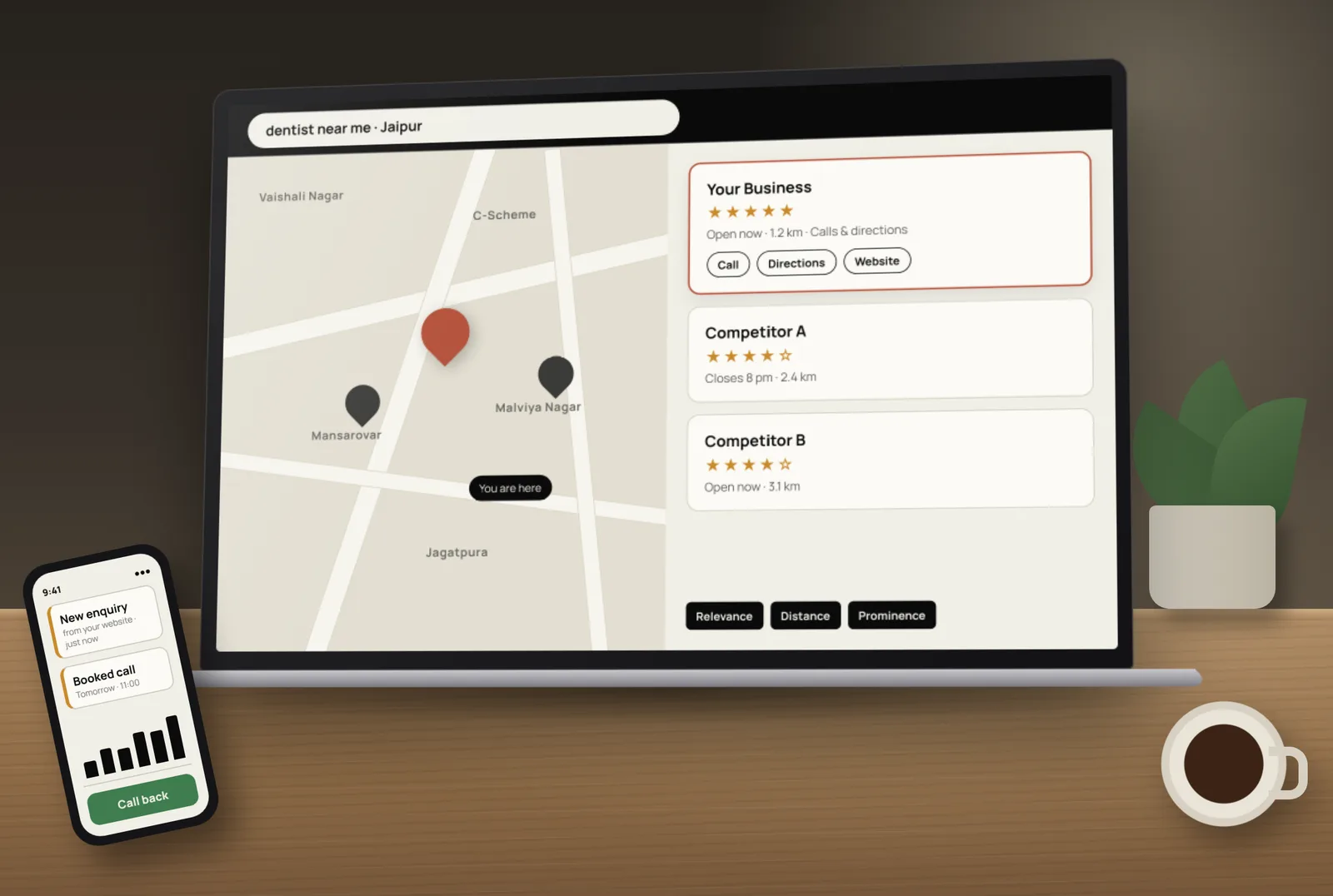
How Google decides who shows up in Jaipur Maps results
Google’s help page on improving your local ranking names three factors:
- Relevance — how well your profile matches the search. Categories, services, description and website content all feed this.
- Distance — how far you are from the person searching, or from the area named in the search (“dentist in Vaishali Nagar”).
- Prominence — how well known you are, including reviews, ratings and links from other websites.
The same page is clear that there’s no way to request or pay for a better local ranking. Anyone selling a “guaranteed top 3 in Maps” package is promising something they don’t control.
Jaipur is many local markets, not one
Someone in Mansarovar searching “AC repair near me” sees different businesses from someone in Malviya Nagar or Jagatpura. Distance matters a lot in a city this size, so think in localities:
- Use your real locality in the address exactly as customers know it, plus the correct PIN code.
- Place the map pin carefully. A pin on the wrong lane or block can put you in the wrong area.
- Name nearby landmarks on your website’s contact page to help customers — and Google — understand where you are.
- If you serve several areas, list them as service areas in your profile and write one useful website page for the main areas you cover, with real details for each (not the same text with the area name swapped).
Set up your Google Business Profile for Jaipur searches
- Primary category — the most specific one that describes your main business (for example “Interior designer”, not only “Designer”).
- Secondary categories — only ones that are genuinely true.
- Business name — your real name as on your signboard and documents. Adding “best in Jaipur” to the name breaks the guidelines.
- Services and description — written the way customers ask, including the areas you serve.
- Hours — including special hours for festivals and holidays, so customers don’t arrive to a closed shutter.
- Phone and WhatsApp — a number your team actually answers.
- Photos — your real shopfront, team, work and products, updated regularly.
Our Google Business Profile optimisation guide covers each setting in more detail.
English, Hindi and Hinglish searches
Jaipur customers search in a mix of languages — “best physiotherapist Raja Park”, “Jaipur me website banane wala” or Hindi script. You don’t need a full Hindi website to be found, but it helps to:
- Use the plain words customers use in your service descriptions, not only industry terms.
- Add a short Hindi summary on key pages if many of your customers prefer Hindi.
- Reply to Hindi reviews in Hindi — it reads naturally and shows you’re local.
Reviews: the prominence signal you can build every week
Reviews are one of the few ranking signals you can steadily improve. Ask every customer, make it easy with a direct review link or QR code at the counter, and reply to every review — good or bad — within a few days. Never buy reviews, offer discounts for them or ask only happy customers; Google treats these as fake engagement. Our guide on how to get more Google reviews has message templates that stay within the rules.
Your website’s job in Jaipur local SEO
- One page per main service, with “in Jaipur” and the main localities mentioned naturally.
- Name, address and phone exactly matching your Google profile, on every page footer.
- A Google map and directions on the contact page.
- LocalBusiness structured data with your address, hours and phone.
- Fast mobile pages with click-to-call and WhatsApp buttons — most local searches happen on phones.
Local listings and links from Jaipur websites
Make sure your business details are the same on the directories Indian customers use, your social profiles and industry listings. Then look for genuine local mentions: a supplier’s or partner’s website, a local association, an event you sponsor or a news story about your work. A few relevant local links are worth far more than hundreds of low-quality directory submissions.
Common local SEO mistakes we see in Jaipur
- Keywords stuffed into the business name.
- Two or three duplicate profiles for the same shop.
- Different phone numbers on the website, profile and directories.
- The pin placed at a relative’s address or a co-working space you don’t use.
- No replies to reviews, or angry public replies to complaints.
- A website with one page that tries to rank for every service.
- Paying for “guaranteed Maps ranking” packages.
How to measure local SEO progress
Check the Performance section of your Business Profile each month for calls, direction requests, website clicks and the searches that found you. In Google Search Console, look at clicks for searches that include “Jaipur” or locality names. Rankings move slowly, so judge the trend over a few months rather than week to week.
Want help? Tocal’s SEO services in Jaipur cover Google Business Profile setup, locality pages, reviews systems and monthly reporting on real calls and enquiries — with fast delivery and reasonable pricing. We can’t promise rankings (no honest company can), but we’ll show you exactly what we’re doing and why. Book a free call to review your listing.
Frequently asked questions
Create and verify a Google Business Profile with your real business name, the right category, your exact Jaipur address and PIN code (or service areas if you travel to customers), hours, phone number and photos.
Google says it uses relevance, distance and prominence. Relevance comes from your categories and content, distance from where the searcher is, and prominence from reviews, ratings and mentions across the web.
No. Google states there is no way to request or pay for a better local ranking. You can run Google Ads, which appear as labelled ads, but that does not change organic Maps rankings.
Distance is a strong factor in a large city. Searchers closer to another business, or naming another locality, will usually see businesses nearer to them. Service-area settings and good locality pages help, but they can’t remove distance entirely.
No. Google’s guidelines say the name should match your real-world business name. Adding keywords or locations can lead to suspension.
Only if you have a real, staffed location in each one. Otherwise use one profile with service areas, and create helpful website pages for the main areas you serve.
Genuine reviews in any language help. Replying in the same language the customer used reads naturally and shows you care about local customers.
There is no fixed number. It depends on your competitors in that area and category. A steady flow of recent, genuine reviews with replies matters more than a one-time burst.
Yes. Your website supports relevance and prominence. Clear service pages, matching business details, a map, structured data and fast mobile pages all help Google trust your listing.
There is no fixed timeline. Fixing profile errors can help quickly, while reviews, content and local links build over months. Track calls and direction requests to see the trend.
[ Tags ]
- Local SEO
- Jaipur
- Google Maps
- Google Business Profile
- Rajasthan
[ Need a hand? ]
Let Us Build It For You.
30 minutes, no pressure — we’ll look at your setup and tell you honestly what to fix first.
[ Keep reading ]

[ E-Commerce ]
Shopify vs WooCommerce for Indian D2C Brands: Full Cost Comparison
For an Indian D2C brand, the real difference between Shopify and WooCommerce is not the plan price — it’s what you pay on every order as you grow. Here’s the full picture.

[ GoHighLevel ]
GoHighLevel Integrations with Zapier and Make: A Practical Guide
GoHighLevel connects to thousands of apps through Zapier and Make. Here’s how each connection works, what you can automate, and when a native integration or webhook is the better choice.