
[ Shopify ]
Shopify Checkout Customisation Guide: What You Can Change on Each Plan
Shopify’s checkout is built to convert, but most stores can still brand it, add trust and upsell blocks, and track it properly. Here’s what each plan can change, and how.
We build the funnels, stores and CRMs we write about — this isn't outsourced content.

Short answer: Shopify checkout customisation now happens through Shopify’s checkout extensibility tools — the checkout and accounts editor, checkout apps (blocks) and pixels — not by editing checkout code. Every plan can brand the checkout and customise the thank-you and order status pages. Adding custom blocks to the information, shipping and payment steps is limited to Shopify Plus. Old methods such as additional scripts are being retired, so tracking and post-purchase features must be rebuilt the new way.
This guide explains what you can change, what needs Plus, and how to upgrade safely, based on Shopify’s current documentation.
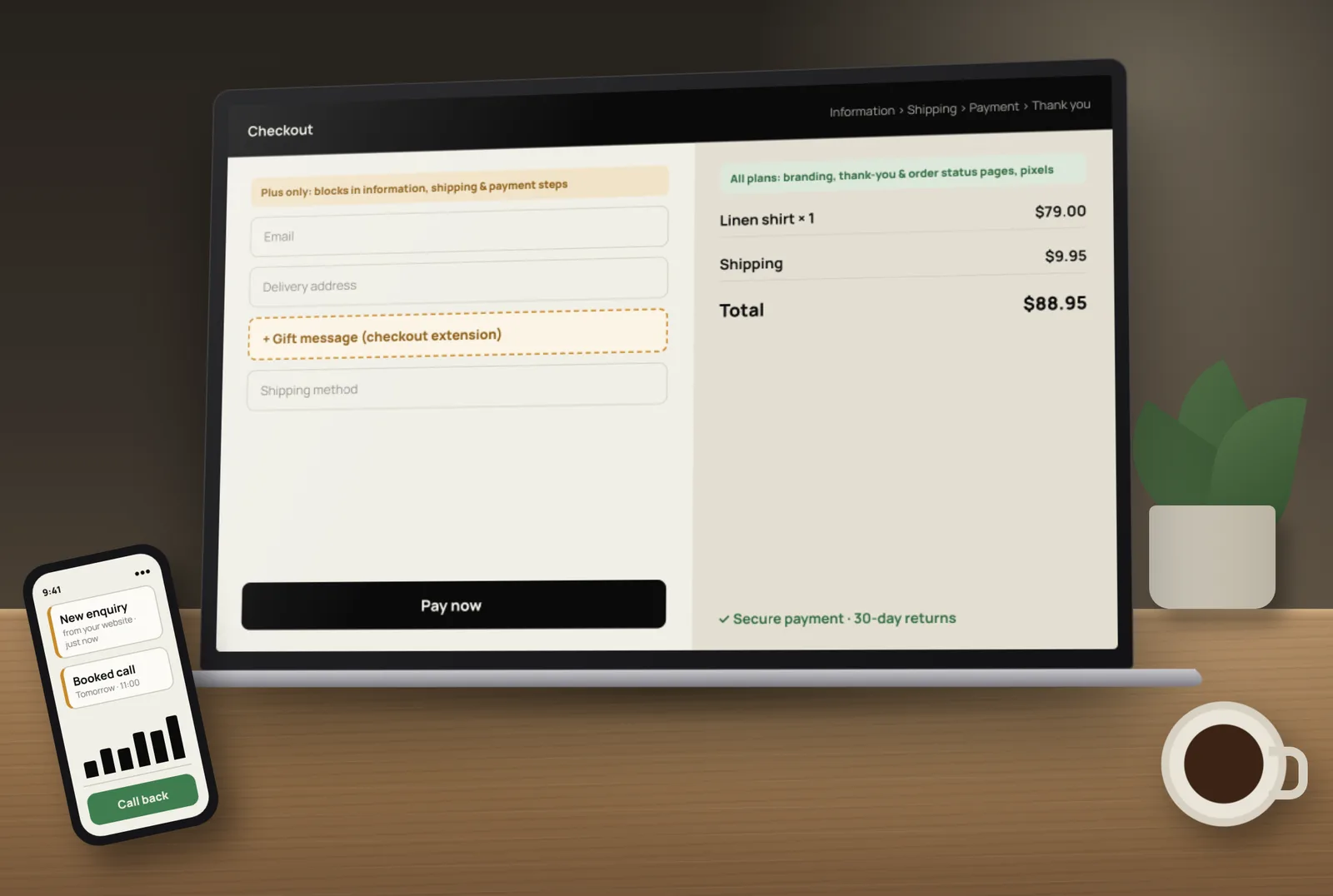
What changed: checkout extensibility
Shopify’s checkout extensibility guide describes it as a newer, more secure and upgrade-safe foundation for checkout and customer accounts. Instead of custom code, you use:
- The checkout and accounts editor — for branding and placing blocks.
- Blocks from checkout apps — to add features such as trust badges, upsells, surveys or delivery instructions.
- Web pixels and app pixels — for tracking and analytics, instead of scripts pasted into checkout settings.
Shopify’s guide also sets out the timeline: additional scripts in checkout settings became view-only on 28 August 2025, and non-Plus stores had until 26 August 2026 to upgrade their thank-you and order status pages. If your store still relies on old scripts, tracking may already be missing data.
What every Shopify plan can customise
- Branding — logo, colours, fonts, buttons and background in the checkout editor.
- Thank-you and order status pages — add app blocks such as surveys, product recommendations, reorder buttons or support links.
- Checkout settings — customer contact method, required fields, tipping, marketing consent and order notes.
- Tracking — through Shopify’s customer events (pixels) instead of pasted scripts.
- Discounts, delivery and payment options — many apps can change these through Shopify’s backend tools; check each app’s plan requirements.
What needs Shopify Plus
Shopify’s developer documentation for checkout UI extensions states that extensions for the information, shipping and payment steps are available only to Shopify Plus stores. So on Plus you can add, for example:
- Custom fields (gift messages, delivery instructions, company details).
- Upsell or add-on blocks before payment.
- Trust and policy messages next to the payment step.
- Logic that shows content based on cart contents or customer type.
On other plans, put this kind of content on the product, cart and thank-you pages instead — which is often where it works best anyway.
Checkout customisations that actually help conversion
- Consistent branding so the checkout feels like the same store.
- Clear delivery information — costs and timeframes shown before checkout.
- Trust signals — returns policy, secure payment note and contact details.
- Fewer required fields — ask only for what you need.
- Express payment options your customers actually use.
- A useful thank-you page — order details, what happens next, and one relevant offer.
- Post-purchase survey — ask “How did you hear about us?” to improve marketing.
Checkout tweaks matter, but most lost sales happen before checkout. Our abandoned cart recovery guide covers recovering people who leave, and our CRO service looks at the whole path to purchase.
How to upgrade an older checkout safely
- List everything that runs in your old checkout and thank-you page: tracking scripts, surveys, upsells, affiliate codes, custom messages.
- Find the replacement for each — an app block, a pixel, or a built-in setting.
- Rebuild tracking with pixels and check purchases appear correctly in your analytics and ad platforms.
- Build the new pages in the checkout and accounts editor.
- Place test orders with different payment and shipping methods.
- Publish, then compare conversion and tracking data with the weeks before.
A note for Indian stores
Many Indian stores add COD confirmation, address checks or one-click checkout apps. Check how each one works with checkout extensibility and your plan before installing. Our Shopify COD and RTO guide covers reducing failed deliveries.
Common checkout customisation mistakes
- Leaving tracking in old scripts that no longer run.
- Adding too many blocks, so the checkout feels cluttered.
- Asking for information you don’t use.
- Upsells that push the payment button down the page on mobile.
- Not testing each payment and delivery method after changes.
Want your checkout upgraded and tested properly? Tocal’s Shopify service covers checkout branding, app blocks, pixel tracking and testing — with fast delivery and reasonable pricing. Book a free call and we’ll review your current checkout.
Frequently asked questions
Yes. Every plan can brand the checkout and customise the thank-you and order status pages with the checkout and accounts editor and app blocks. Adding blocks to the information, shipping and payment steps needs Shopify Plus.
It is Shopify’s current way to customise checkout using the checkout and accounts editor, app blocks and pixels, instead of editing checkout code. Shopify describes it as more secure and upgrade-safe.
Not for branding or the thank-you and order status pages. Shopify Plus is needed for checkout UI extensions on the information, shipping and payment steps.
According to Shopify, additional scripts became view-only on 28 August 2025. Tracking should now use Shopify’s pixels instead.
No. Shopify has moved stores to checkout extensibility, and checkout.liquid customisations are no longer the supported way to change checkout.
Use Shopify’s customer events: app pixels from your analytics or ad platform apps, or custom pixels. Test a real order to confirm purchases are reported.
On Shopify Plus, checkout UI extensions can add fields to the information, shipping and payment steps. On other plans, collect extra details on the product or cart page, or after purchase.
App blocks such as post-purchase surveys, product recommendations, reorder buttons, support links and messages, using the checkout and accounts editor.
It can help, especially clear delivery information, trust signals and fewer fields. But most lost sales happen before checkout, so look at product pages and cart too.
Yes. We handle checkout branding, app blocks, pixel tracking, thank-you page upgrades and testing on any plan, including Shopify Plus extensions.
[ Tags ]
- Shopify
- Checkout
- Shopify Plus
- CRO
- E-Commerce
[ Need a hand? ]
Let Us Build It For You.
30 minutes, no pressure — we’ll look at your setup and tell you honestly what to fix first.
[ Keep reading ]

[ SEO ]
Local SEO for Jaipur Businesses: How to Show Up in Google Maps
Most Jaipur customers search on their phone and pick from the three businesses in the Google Maps box. Here’s how to earn a place there, step by step.

[ E-Commerce ]
Shopify vs WooCommerce for Indian D2C Brands: Full Cost Comparison
For an Indian D2C brand, the real difference between Shopify and WooCommerce is not the plan price — it’s what you pay on every order as you grow. Here’s the full picture.