
[ Automation ]
AI Chatbots for Small Business Websites: What Actually Works
An AI chatbot can answer questions and book calls while you sleep — or annoy visitors and give wrong answers. Here’s what separates the two.
We build the funnels, stores and CRMs we write about — this isn't outsourced content.

Short answer: AI chatbots for small business websites work best when they do a few jobs well — answer common questions from your own approved information, collect a visitor’s details, and book a call or appointment — and hand over to a person the moment a question is outside what they know. They fail when they’re left to guess, hide the way to reach a human, or are trained on nothing but the homepage.
This guide covers what a website chatbot should and shouldn’t do, how to train it, how to keep its answers accurate, and how to measure whether it’s actually bringing in leads.
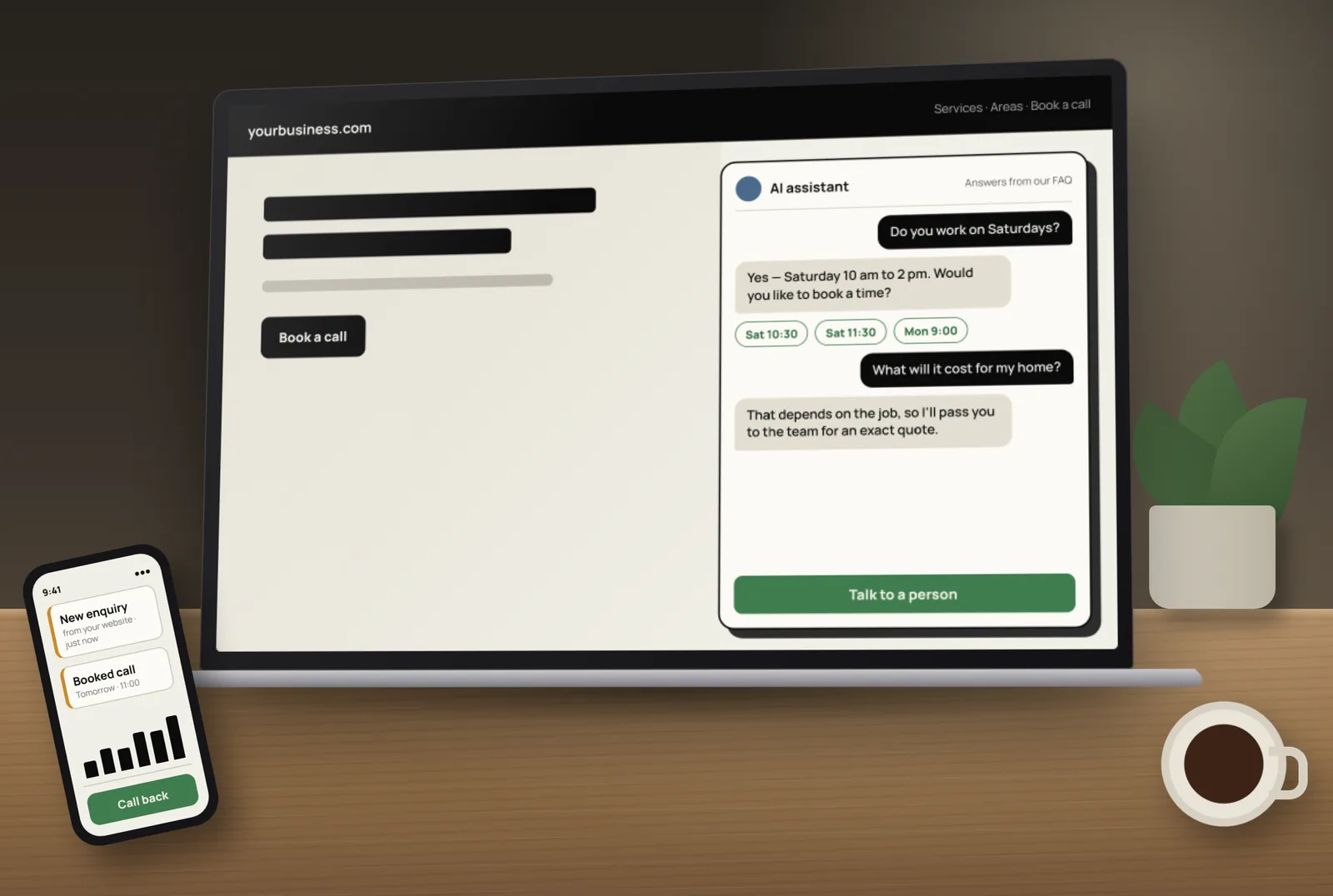
What AI chatbots do well on small business websites
- Answer repeat questions instantly — hours, areas served, services, how booking works, what to bring.
- Capture leads after hours — name, phone or email and what the visitor needs.
- Qualify enquiries — a few short questions so your team knows who to call first.
- Book appointments directly into your calendar.
- Route the conversation — sales, support or a specific location.
Speed matters here: the faster someone gets a useful reply, the more likely they are to book. Our guide on speed-to-lead explains why.
Where AI chatbots go wrong
- Making things up — when a bot doesn’t know, it may produce a confident but wrong answer, such as an invented price or policy.
- No way out — visitors who want a person and can’t find one leave annoyed.
- Pop-ups that interrupt — a chat window that opens over the page before the visitor has read anything.
- Thin training — a bot that only knows the homepage can’t answer real questions.
- No follow-up — leads captured by the bot that nobody calls back.
How to train a website chatbot on your own information
- Write a clear FAQ — the 20–30 questions customers actually ask, with short, accurate answers.
- Add your key pages — services, areas, policies and booking information.
- Set boundaries — topics it must not answer (for example, exact quotes or medical, legal or financial advice) and what to say instead.
- Define the goal — collect contact details, book a call, or both.
- Write a handover message — “I’ll pass this to the team; what’s the best number to reach you?”
- Test with real questions from your inbox, including awkward ones.
Example: Conversation AI in GoHighLevel
If you already use GoHighLevel, its built-in Conversation AI is one way to run a website chatbot inside the same CRM as your contacts and calendars. HighLevel’s Conversation AI overview describes three modes:
- Off — the bot doesn’t reply.
- Suggestive — the bot drafts replies and a person reviews, edits and sends them.
- Auto-pilot — the bot replies on its own, based on its training, goals and instructions.
HighLevel says the bot can answer questions from training data such as knowledge bases, documents, URLs and FAQs, collect information, book appointments when booking is set up, and run as a step in workflows. Its guide to auto-pilot mode covers the automatic option.
A sensible approach is to start in suggestive mode, review real conversations for a while, then switch the well-tested topics to auto-pilot.
Always plan the human handover
- Show a clear “Talk to a person” option, plus your phone or WhatsApp.
- Hand over automatically when the visitor asks for a person, seems upset, or asks about something outside the bot’s training.
- Notify the right team member instantly, with the conversation so far.
- Follow up every captured lead — see how to automate lead follow-up in GoHighLevel.
Privacy and honesty basics
- Tell visitors they’re chatting with an AI assistant.
- Collect only the details you need, and explain how you’ll use them in your privacy policy.
- Don’t ask for card numbers, passwords or sensitive personal details in chat.
- Follow the messaging and privacy rules for the countries you operate in.
How to measure whether your chatbot works
- Conversations started and how many reach a useful answer.
- Leads captured with valid contact details.
- Appointments booked from chat.
- Handover rate — how often a person had to step in, and why.
- Wrong or unhelpful answers found in weekly reviews, then fixed in the training.
Do you need an AI chatbot at all?
Not every small business does. If you get few website visitors, a clear contact form, click-to-call and WhatsApp buttons, and missed-call text-back may do more. A chatbot earns its place when you get regular enquiries outside business hours, answer the same questions all day, or want bookings without back-and-forth.
Want a chatbot that answers from your own information and books real calls? Tocal builds custom AI agents and chatbots with human checks, and connects them to your CRM through our business automation service — with fast delivery and reasonable pricing. Book a free call to see whether a chatbot fits your business.
Frequently asked questions
They are when you get regular enquiries outside business hours or answer the same questions repeatedly. For low-traffic sites, clear contact options and fast follow-up may matter more.
Answer common questions from your own approved information, collect contact details, qualify enquiries, book appointments and hand over to a person when needed.
Train it on a clear FAQ and key pages, set topics it must not answer, give it a handover message for anything outside its training, and review conversations regularly.
Yes, if it is connected to your calendar. For example, HighLevel says its Conversation AI can book appointments when booking goals and settings are configured.
In suggestive mode the bot drafts replies for a person to review and send. In auto-pilot mode it replies automatically based on its training, goals and instructions.
Yes. Telling visitors they are chatting with an AI assistant is honest and sets the right expectations, and it makes the option to reach a person more useful.
A clear FAQ of real customer questions, your service, area, policy and booking pages, and instructions on what not to answer and when to hand over.
No. It handles repeat questions and first replies so your team can focus on real conversations, and it should always hand over complex or sensitive questions.
Track conversations, leads captured, appointments booked, how often a person had to step in, and wrong answers found in weekly reviews.
Yes. We build custom AI agents and chatbots trained on your own information, with human checks, and connect them to your CRM and calendar.
[ Tags ]
- AI Chatbots
- Automation
- Lead Generation
- GoHighLevel
- Small Business
[ Need a hand? ]
Let Us Build It For You.
30 minutes, no pressure — we’ll look at your setup and tell you honestly what to fix first.
[ Keep reading ]

[ Shopify ]
How to Improve Shopify Conversion Rates: A Step-by-Step Guide
More traffic won’t help if visitors don’t buy. Here’s how to find where your Shopify store loses shoppers, and the fixes that usually matter most at each step.

[ SEO ]
Local SEO for Jaipur Businesses: How to Show Up in Google Maps
Most Jaipur customers search on their phone and pick from the three businesses in the Google Maps box. Here’s how to earn a place there, step by step.