
[ GoHighLevel ]
GoHighLevel White Label Agency Guide: Branding, Domains, Apps and Onboarding
White-labelling GoHighLevel lets your clients log in to your brand, not someone else’s. Here’s the full setup — branding, domains, mobile app and client onboarding — in the right order.
We build the funnels, stores and CRMs we write about — this isn't outsourced content.

Short answer: a GoHighLevel white label setup has four parts. Brand the platform (logo, colours, name), point your own whitelabel domain at it so clients log in at app.youragency.com, set an API domain so links in emails and texts show your brand, and — if you want — publish a branded mobile app under your own developer accounts. Then onboard clients with a repeatable process so the branded experience actually feels professional.
This guide covers the whole white-label setup. Reselling HighLevel as your own software with plans and automatic billing is a separate feature — SaaS mode — covered in our GoHighLevel SaaS mode guide. Check which HighLevel plan includes the white-label features you need in our GoHighLevel pricing guide.
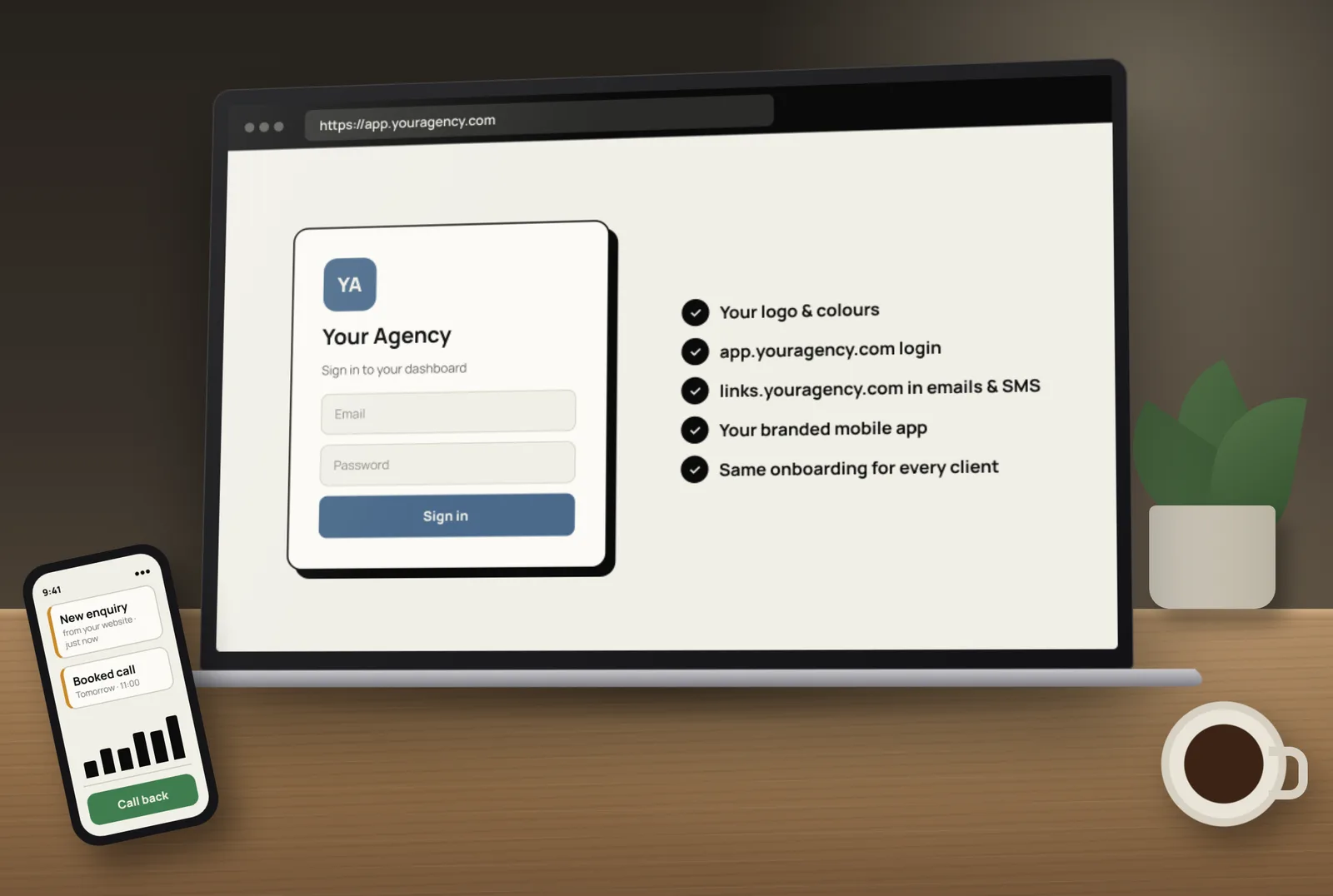
What white label means in GoHighLevel
- Your brand on the app — logo, colours and company name in the dashboard clients use.
- Your domain for login — clients go to your address, not HighLevel’s.
- Your domain in links — forms, calendars, surveys, payment and review links show your branded domain.
- Optionally, your own mobile app — in the app stores under your agency name.
- Your support, your process — clients come to you, not to HighLevel.
Step 1: Brand the platform
- Add your logo (light and dark versions) and favicon in Agency Settings → Company.
- Set your company name, support email and phone.
- Add your own Terms of Service and Privacy Policy links.
- Choose a theme or brand colours that match your website.
- Rename menu items or hide features clients don’t need, so the dashboard feels simple.
Step 2: Set up your whitelabel domain
HighLevel’s guide to the whitelabel domain for the desktop app explains the setup:
- Choose a subdomain, such as app.youragency.com — HighLevel says to use a subdomain, not your main domain.
- Add a CNAME record at your DNS provider pointing that subdomain to the target HighLevel gives (currently whitelabel.ludicrous.cloud).
- Save it in Agency View → Settings → Company → Whitelabel Domain. HighLevel issues the SSL certificate once DNS is correct.
- If you use Cloudflare, set that record to DNS only, not proxied, and remove any conflicting record for the same subdomain.
Step 3: Brand your links with an API domain
The whitelabel domain doesn’t change the links inside emails and texts. For those, HighLevel uses a separate API domain for branded links: a subdomain such as links.youragency.com, added as a CNAME to brand.ludicrous.cloud. It brands form, survey, calendar, trigger, payment and review links. You can set it at agency level (sub-accounts inherit it) or override it per sub-account with the client’s own domain.
Step 4: Decide on a branded mobile app
Clients can use HighLevel’s standard mobile app with your desktop branding. If you want your own app in the stores, HighLevel’s white-labelled mobile app customizer lets you set the icon, login screen, colours, fonts and menus. HighLevel says building and publishing need a paid Custom Agency App subscription, and you publish under your own Apple App Store Connect and Google Play Console organisation accounts, with Apple and Google reviewing the apps.
A branded app makes most sense when you have enough clients to justify the subscription and the work of publishing updates.
Step 5: Set up each client’s sending domains
- Email sending domain for each client, with SPF, DKIM and DMARC records, so emails land in inboxes.
- Funnel and website domains connected per sub-account.
- Phone numbers and SMS registration — for US numbers, complete A2P 10DLC registration; see our A2P 10DLC checklist.
Step 6: Build your client starter snapshot
A snapshot packages pipelines, workflows, calendars, forms and templates so every new client starts from a tested setup. Our GoHighLevel snapshots guide explains how to build and load one safely.
Step 7: Onboard clients the same way every time
- Welcome email from your brand, with login details at your whitelabel domain.
- Onboarding form collecting business details, logos, hours, team members and domain access.
- Setup — sub-account, snapshot, domains, phone number, integrations.
- Testing — forms, calendars, messages and automations with test contacts.
- Training call — short and recorded, covering the inbox, calendar and pipeline.
- Check-in after the first weeks to fix anything confusing.
Step 8: Plan your support
With white label, clients contact you first. Decide your support channels, response times and who handles what. Build a small help library in your brand — short videos and FAQs — for the questions every client asks.
Common white-label mistakes
- Using the root domain instead of a subdomain for the whitelabel or API domain.
- Proxied DNS records that stop SSL from issuing.
- Branding the app but leaving system links unbranded.
- No email authentication, so client emails go to spam.
- Giving clients every feature on day one, which overwhelms them.
- No onboarding checklist, so each client is set up differently.
Want it set up for you? Tocal has worked on 50+ GoHighLevel accounts over 3+ years, including white-label and SaaS setups like the one in our Simplified Success Hub case study. See our white-label GoHighLevel service — with fast delivery and reasonable pricing. Book a free call to plan your branded platform.
Frequently asked questions
It’s the set of features that let an agency present HighLevel under its own brand: its logo and colours in the app, its own login domain, branded links in messages, and optionally its own mobile app.
Create a subdomain such as app.youragency.com, add a CNAME record pointing to the target HighLevel provides, then save it in Agency Settings under Company and Whitelabel. HighLevel issues SSL once DNS is correct.
It’s a separate branded subdomain used in system-generated links, such as form, calendar, survey, payment and review links. It is set at agency level and can be overridden per sub-account.
No. HighLevel recommends a subdomain, such as app.youragency.com, rather than your root domain.
Yes. HighLevel offers a white-labelled mobile app customizer. Building and publishing need a paid subscription, and you publish under your own Apple and Google developer organisation accounts.
White label is about branding the platform. SaaS mode lets you sell HighLevel-based plans to clients with automated billing and plan-based features. Many agencies use both.
White-label features depend on your HighLevel agency plan, and some are paid extras. Check HighLevel’s current plans before you commit.
Usually the CNAME record is wrong, still propagating, proxied through Cloudflare, or conflicts with another record for the same subdomain.
With white label, they see your brand. If a client asks, be honest about the tools you use, and follow HighLevel’s terms.
Yes. We set up branding, whitelabel and API domains, email and SMS foundations, snapshots and a client onboarding process.
[ Tags ]
- GoHighLevel
- White Label
- Agencies
- Branding
- Client Onboarding
[ Need a hand? ]
Let Us Build It For You.
30 minutes, no pressure — we’ll look at your setup and tell you honestly what to fix first.
[ Keep reading ]

[ SEO ]
Local SEO for Jaipur Businesses: How to Show Up in Google Maps
Most Jaipur customers search on their phone and pick from the three businesses in the Google Maps box. Here’s how to earn a place there, step by step.

[ E-Commerce ]
Shopify vs WooCommerce for Indian D2C Brands: Full Cost Comparison
For an Indian D2C brand, the real difference between Shopify and WooCommerce is not the plan price — it’s what you pay on every order as you grow. Here’s the full picture.